Skip to content
Depo

Stock management for iPhone

Your stockroom, in your pocket.

Depo keeps your items, your shelves and every stock movement on your iPhone. Scan a barcode, record stock in or out, count with your phone. No spreadsheet, no notebook.

For iPhone · iOS 27 or laterComing soon to the App Store
For AndroidComing soon to Google Play
See pricing
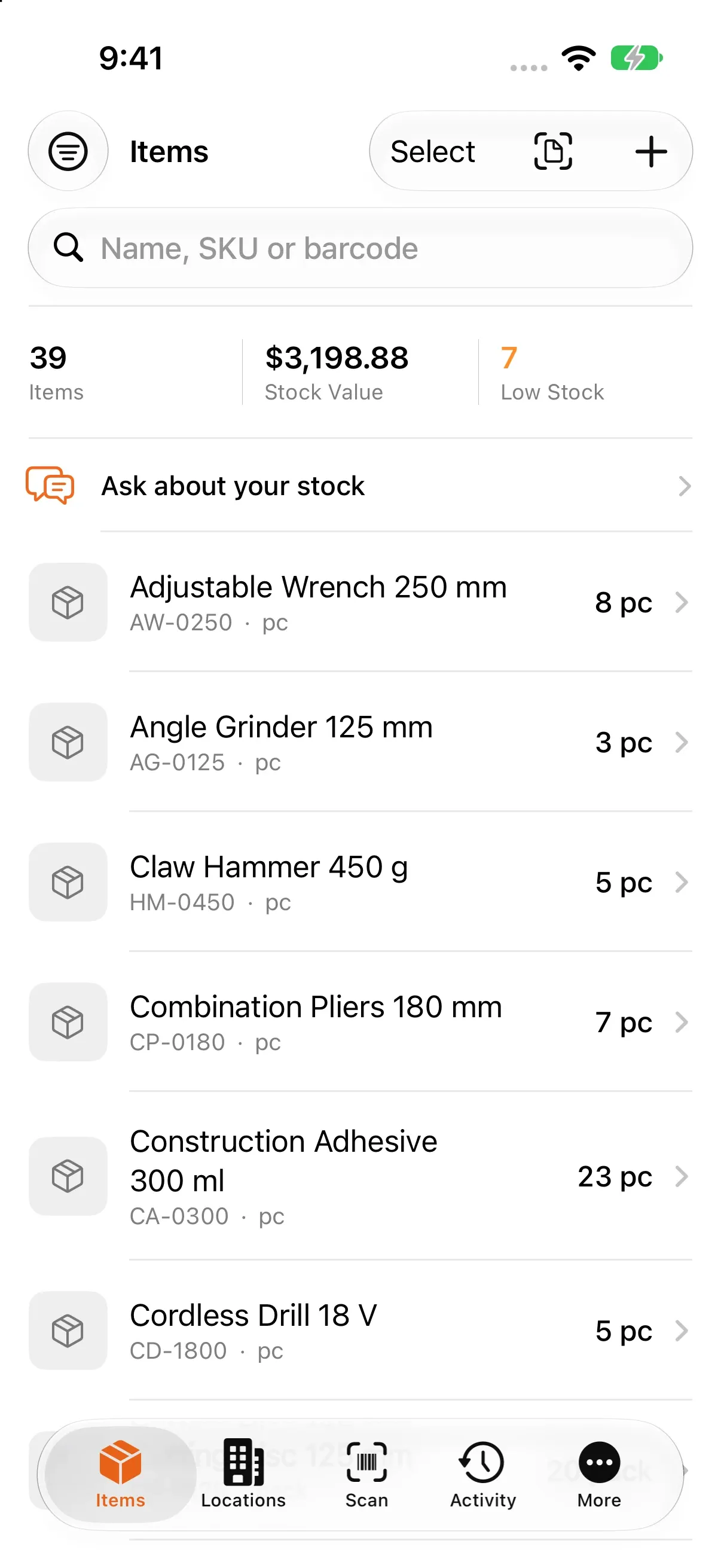
Depo's Items screen: item count, stock value and low-stock summary at the top, then the items with their stock.

Made for businesses of one to five people

For small businesses that still keep their stock in a spreadsheet or a notebook.

What Depo does

The whole daily routine, from the item card to the stock count, from low stock to labels.

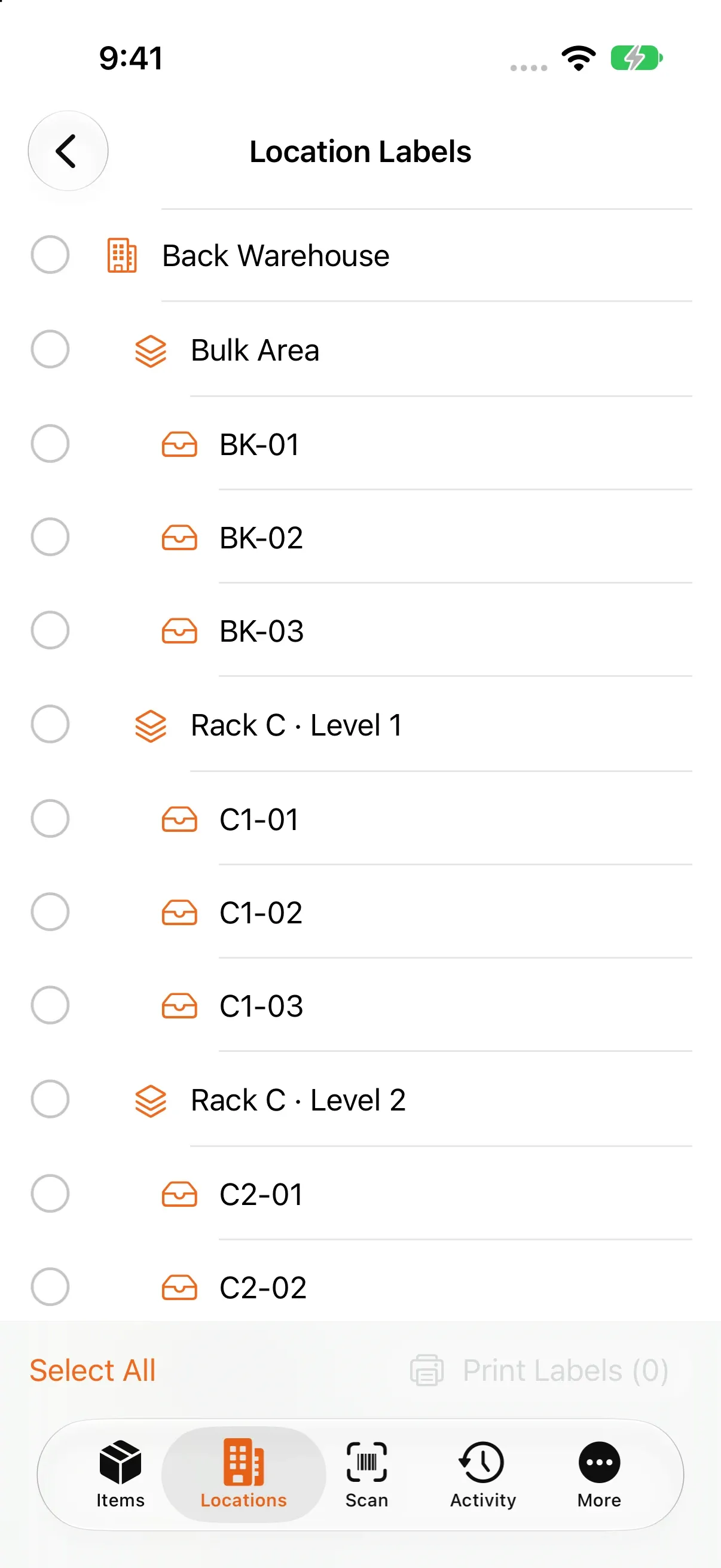
The screen for choosing locations to print QR labels: a warehouse with its shelves and bins listed as a tree.
The warehouse → shelf → bin tree, when printing QR location labels

A place for every item

Record each item with its SKU, one or more barcodes, unit, cost and sale price, minimum stock and a photo. Set up your locations as warehouse → shelf → bin; every location gets its own QR code.

  • Search by name, SKU or barcode
  • Pieces, boxes, packs, kg, g, litres, ml and metres
  • What each location holds, and what it is worth
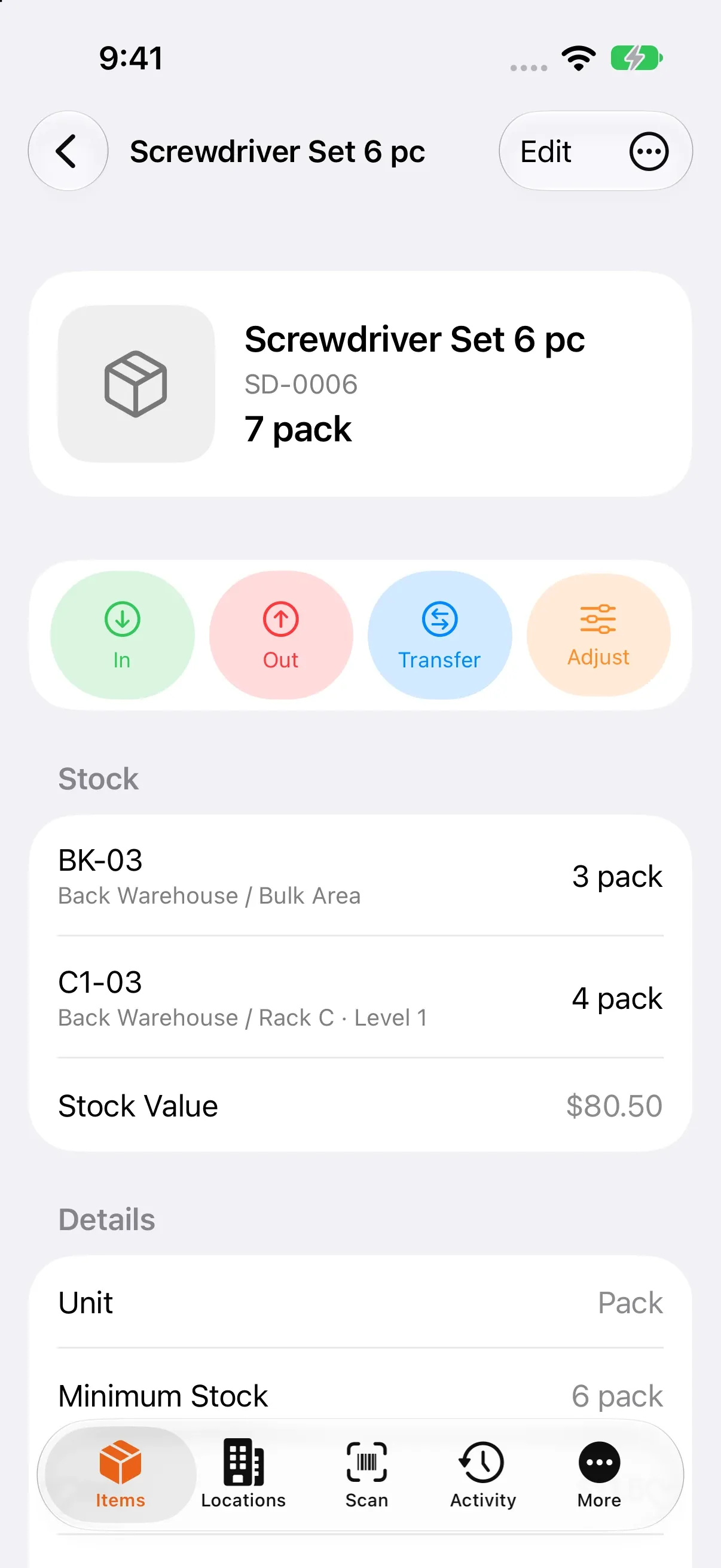
Item detail: total stock, the In, Out, Transfer and Adjust buttons, stock in two bins and the stock value.
An item card: stock in two bins and its value

Stock in, stock out, transfer

Stock is never a number you type over. It is the sum of the movements you record: stock in, stock out, transfers between shelves and adjustments. The history is never rewritten; a mistake is fixed with a correcting movement.

  • You cannot take more out of a shelf than it holds
  • Supplier, unit cost and document number on stock in
  • Stock per shelf, stock value and recent movements on the item card
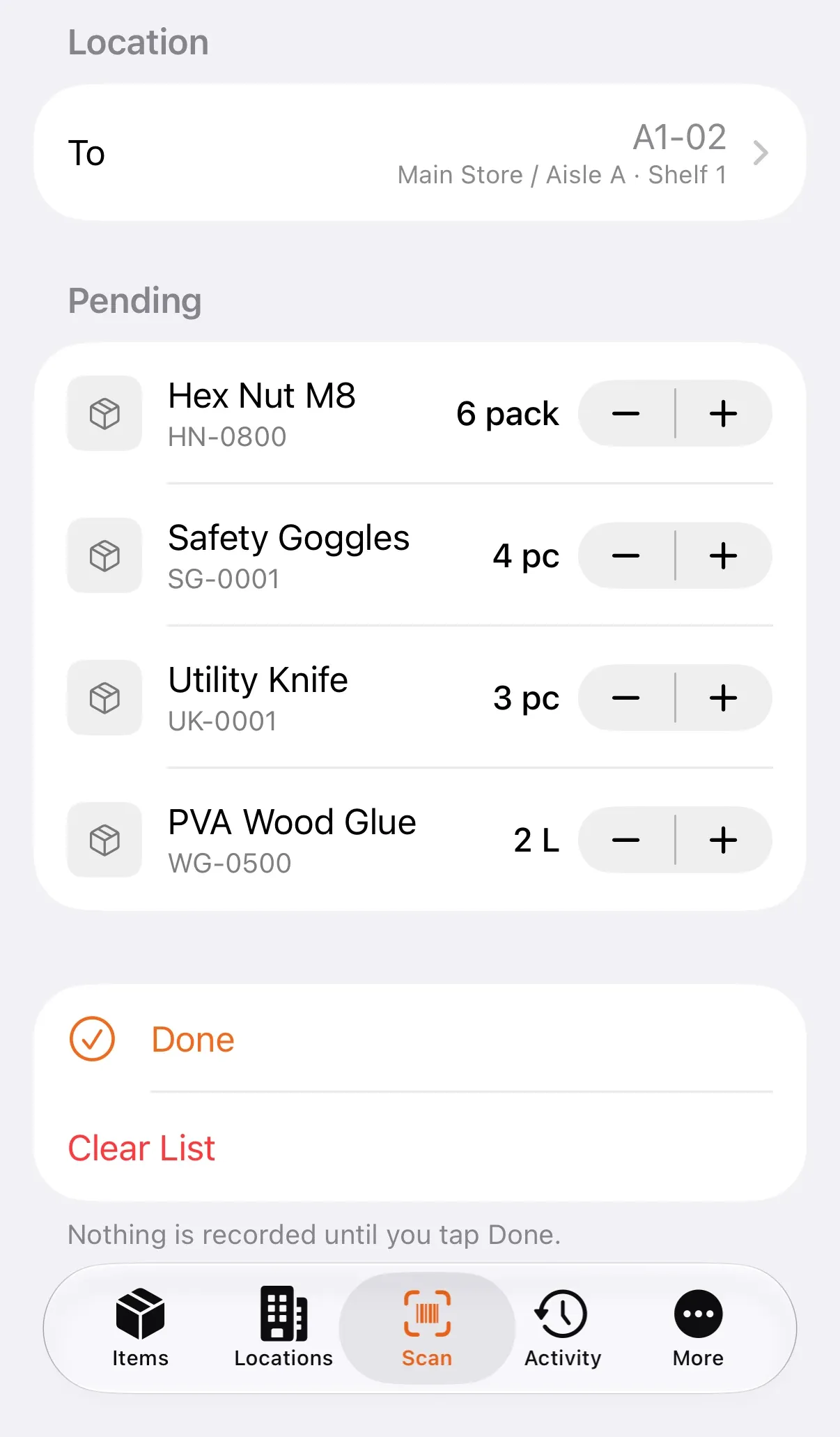
Rapid in on the scanner: four items scanned into the chosen location, pending with their quantities, and the Done button below.
Rapid In: scanned items wait until you tap Done

Scan barcodes with the camera

Your iPhone camera is the barcode scanner: EAN‑13, EAN‑8, UPC‑E, Code 128, Code 39, ITF‑14, Data Matrix and QR. A known barcode opens its item; an unknown one becomes a new item, or is attached to an existing one.

  • Rapid in and rapid out: every scan adds one unit to a list, and Done records them all
  • Different haptics for a match and an unknown code, so you can scan without looking
  • Scan a shelf's QR label to open that shelf
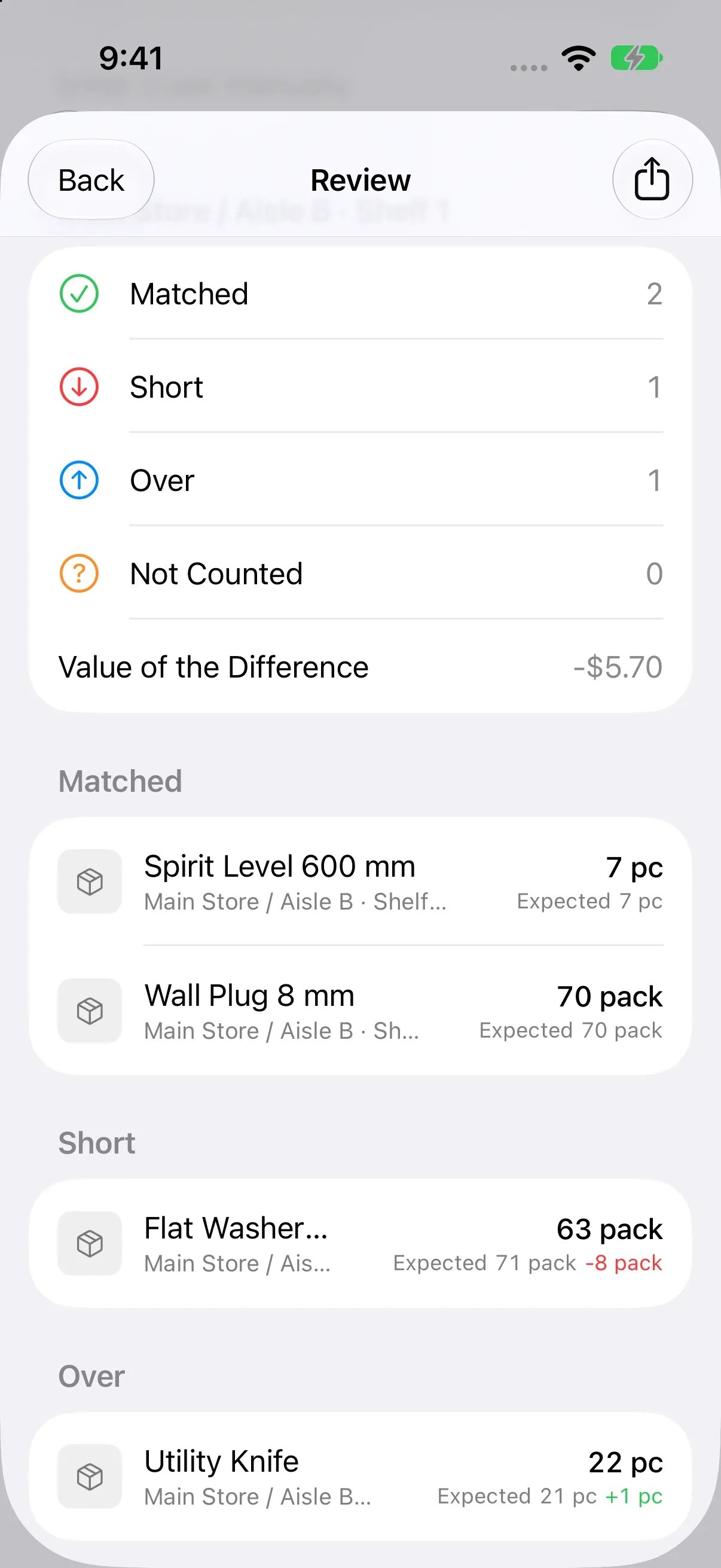
A count's Review screen: how many lines matched, came up short, over or not counted, the value of the difference, and the lines in groups.
The variance report of a count

Count stock with your phone

Count the whole stock or a single shelf. A blind count hides the expected figures until you reveal them; every scan adds to the counted quantity. At the end you get a variance report: matched, short, over and not counted, with the value of the difference.

  • Leave a count and pick it up later where you stopped
  • Lines nobody counted are left as they are or set to zero, and you decide which
  • Finishing records one adjustment for every line that differs
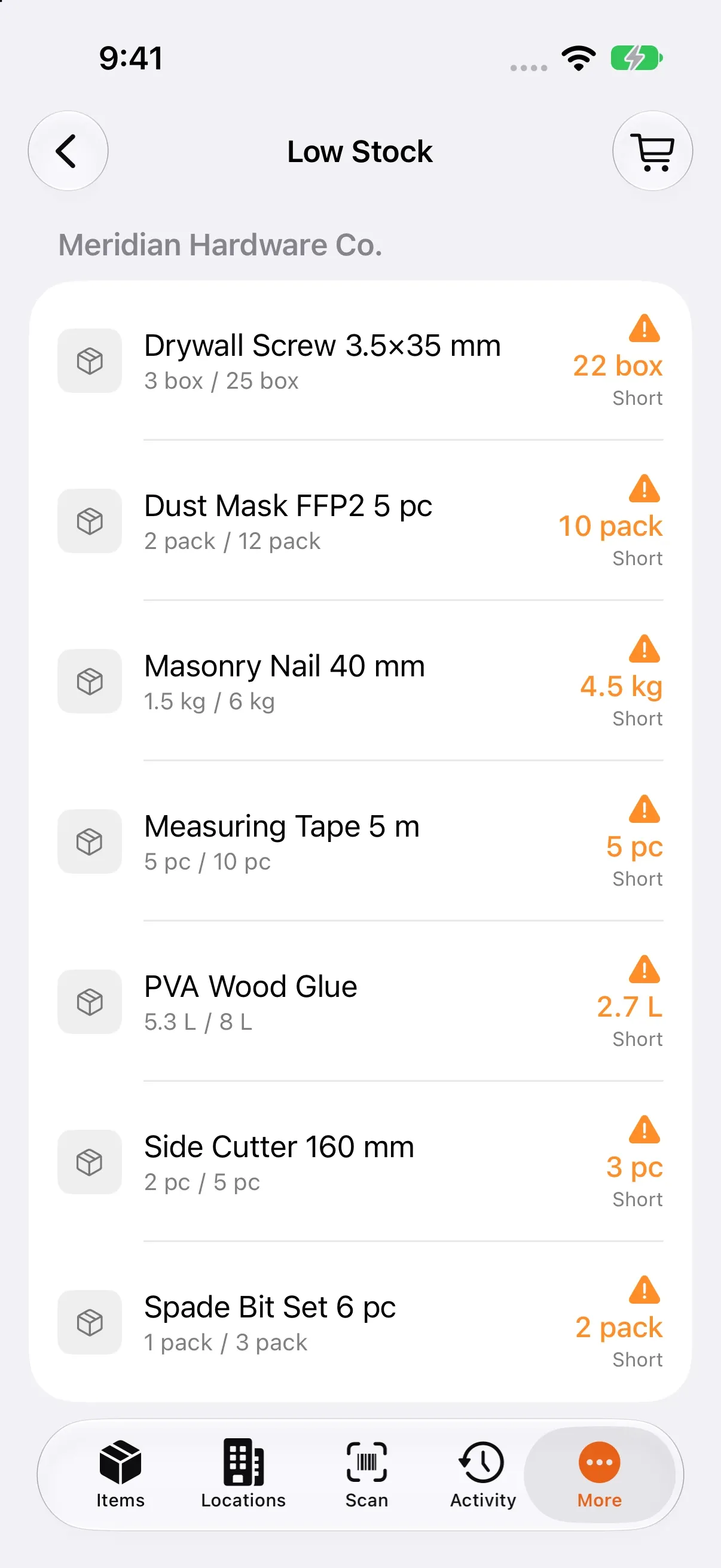
Low Stock screen: items below their minimum with the shortfall, grouped by supplier.
Low stock, grouped by supplier

Low stock and the reorder list

Give each item a minimum stock. Items that fall below it are listed with their shortfall, grouped by supplier. The reorder list is a ready order draft per supplier: adjust the quantities and send it by message or email.

  • A notification when a movement takes an item below its minimum
  • Open the item or add it to the reorder list straight from the notification
  • Call or email a supplier from their card
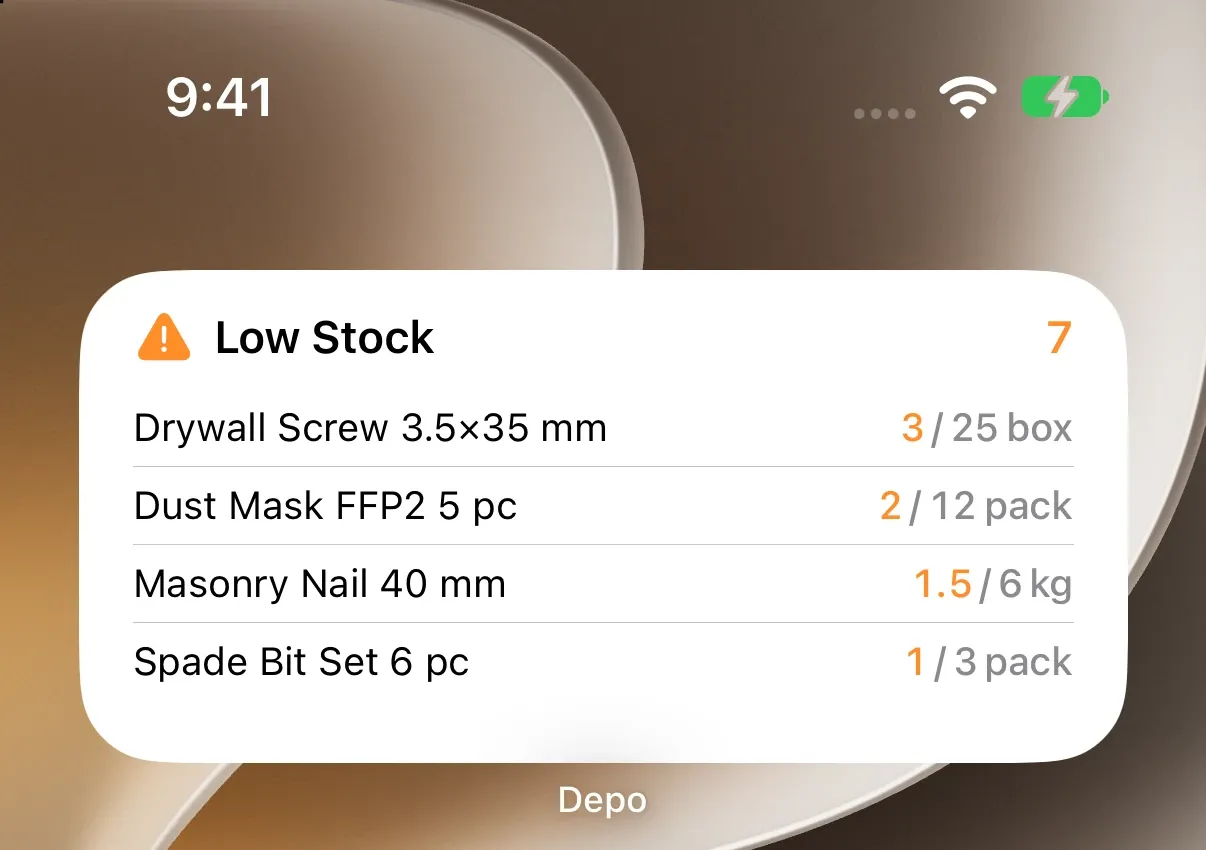
Depo's Low Stock widget on the iPhone Home Screen: four items below their minimum, with the quantity on hand and the minimum.
The Low Stock widget on the Home Screen

On the Home Screen and the Lock Screen

The low-stock widget shows what is running out on the Home Screen and the Lock Screen; the stock-value widget shows what your stock is worth. While a count is running, its progress is on the Lock Screen and in the Dynamic Island.

  • A Scan control for Control Center and the Action button
  • Stock in, stock out and stock checks with Siri and Shortcuts, without opening the app
  • Items show up in Spotlight search

PROWidgets and the Live Activity are part of Depo Pro.

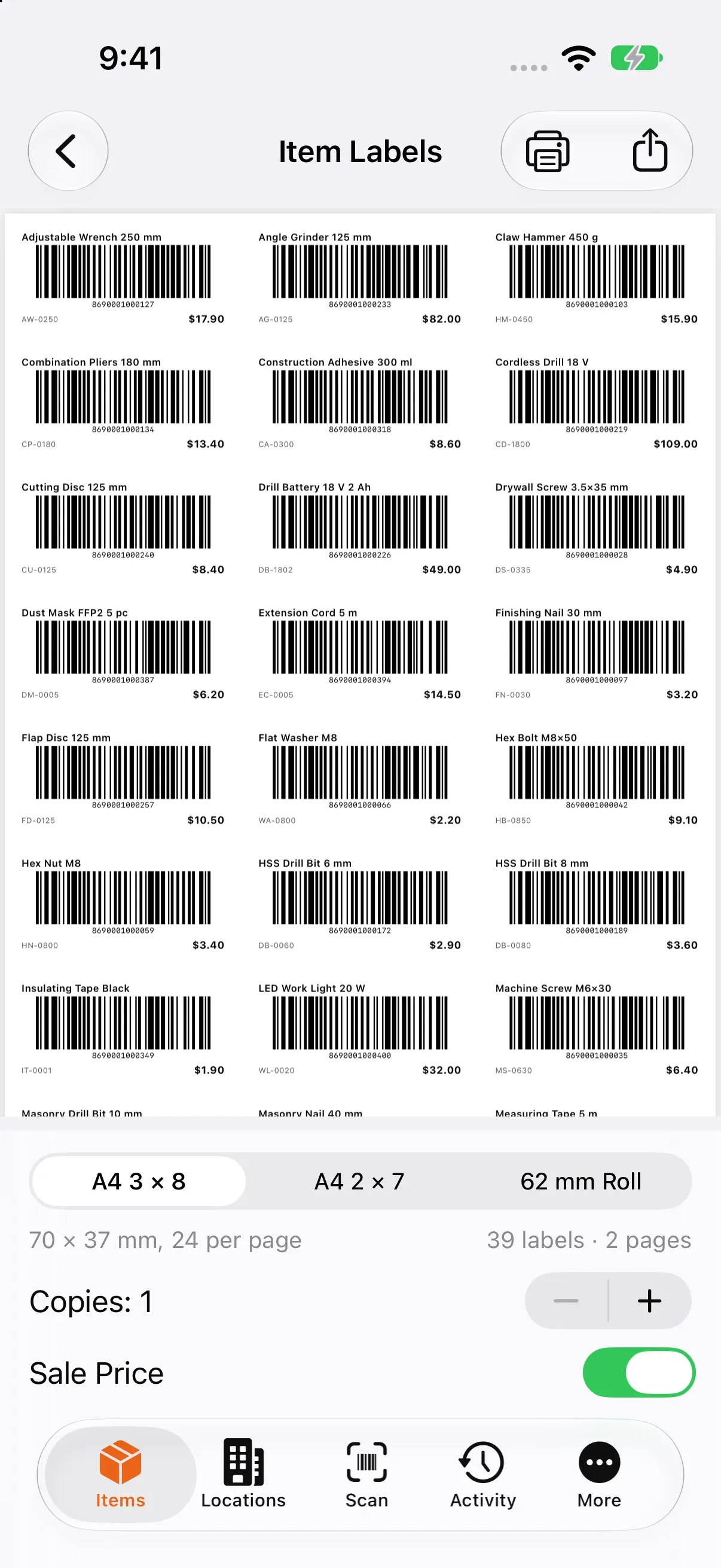
Item label preview: an A4 3 × 8 sheet of barcode labels, with the layout, copies and sale price options below.
Item labels on an A4 3 × 8 sheet

Print labels, take your data with you

Print QR labels for your shelves and barcode labels for your items: A4 3 × 8 (24 per page), A4 2 × 7 (14 per page) or a 62 mm roll. Print with AirPrint or share the PDF.

  • Items, stock by location and movements as CSV
  • An A4 PDF stock report with totals and low-stock items
  • Bring your spreadsheet in as CSV, with a preview first

PROLabels, export and import are part of Depo Pro.

On all your devices with iCloud

When you are signed in to iCloud, Depo syncs your data through your own private iCloud database. Depo has no server and no account to create, and we never see your data.

Depo Pro

Unlimited items and warehouses, labels, export and import, widgets and the Live Activity. Plus three features that save real time:

  • Document reading

    Take a photo of an invoice or a delivery note, or pick its PDF. Depo reads the lines and matches them to your items; you check them, confirm, and each line becomes a stock in.

  • Ask Depo

    Ask in your own words: “Which items are running low?”, “How many cordless drills went out this month?” Answers come only from the numbers in your own records, and Ask Depo never changes anything.

  • NFC shelf tags

    Write a shelf's link to an NFC tag and stick it on the shelf. Read the tag from the Scan tab to see what that shelf holds.

Document reading and Ask Depo run on Apple's on-device model, so your documents and questions stay on your phone. They need an iPhone that supports Apple Intelligence, with it turned on.

Compare plans

Where can I get it?

For iPhone · iOS 27 or laterComing soon to the App Store
For AndroidComing soon to Google Play

Questions

Where can I download Depo?

Coming soon to the App Store. Coming soon to Google Play. On iPhone it needs iOS 27 or later.

Is there an Android app?

Coming soon to Google Play. The iPhone app comes first.

Where is my data kept?

On your iPhone. When you are signed in to iCloud, also in your own private iCloud database. Depo has no server and no accounts, so we cannot see your data.

Can several people work on the same stock?

Not yet. Sync works between devices on the same Apple Account; there is no team sharing.

Do I need a barcode scanner?

No. The iPhone camera reads barcodes and QR codes.

Can I bring in my item list from a spreadsheet?

Yes, as a CSV file (Depo Pro). Columns are matched by their header name, and items are updated or added by SKU. Nothing is written until you confirm the preview. Moving from a spreadsheet

What is in the free version?

50 items and 1 warehouse, with scanning, stock movements, counts, low stock, the reorder list and suppliers.

What happens if my subscription ends?

Your data stays as it is and you can keep recording movements. You just cannot add items or warehouses beyond the free limits, or open Pro features.